

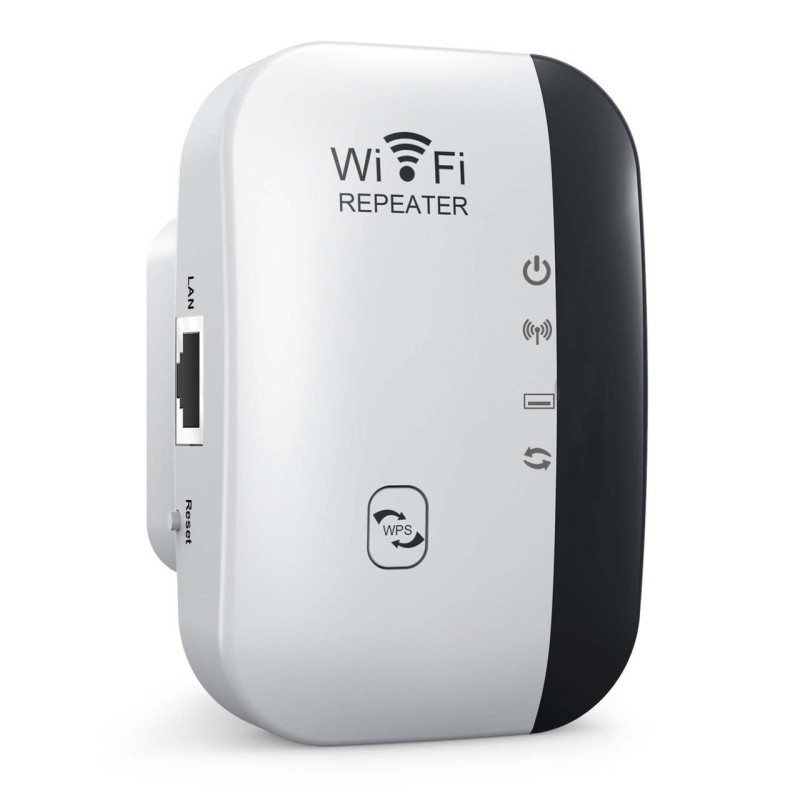
High-Speed Wi-Fi Repeater & Range Extender | Wireless Signal Booster with WPS & AP Mode | Internet Dead Zone Killer
৳ 1290
৳ 990
প্রোডাক্ট কোড : WIFI
Short Description
High-Speed Wi-Fi Repeater & Range Extender | Wireless Signal Booster with WPS & AP Mode | Internet Dead Zone Killer
_1770186167.jpeg)
Key Features:
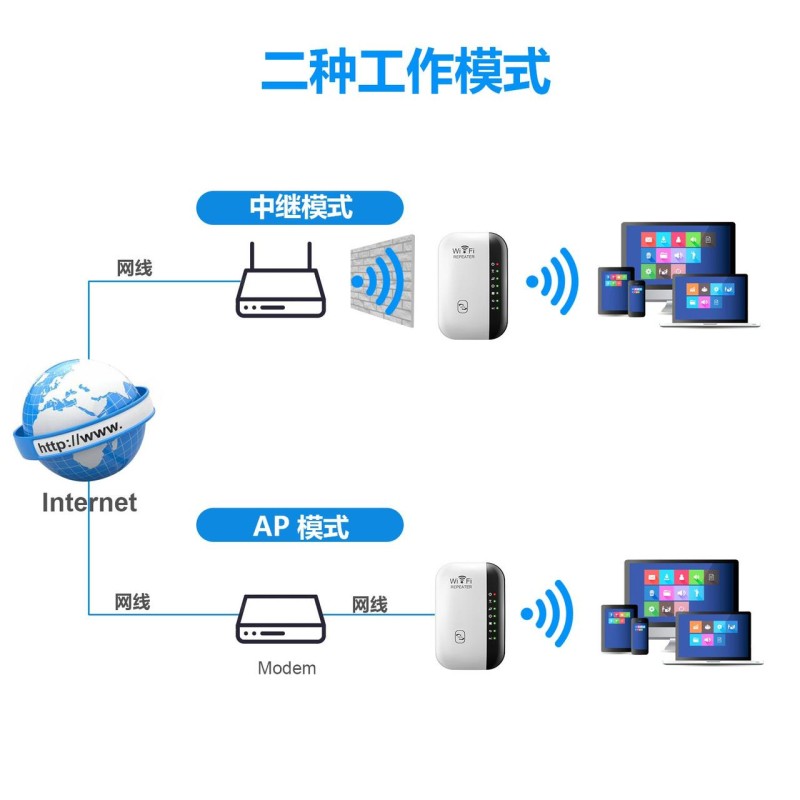
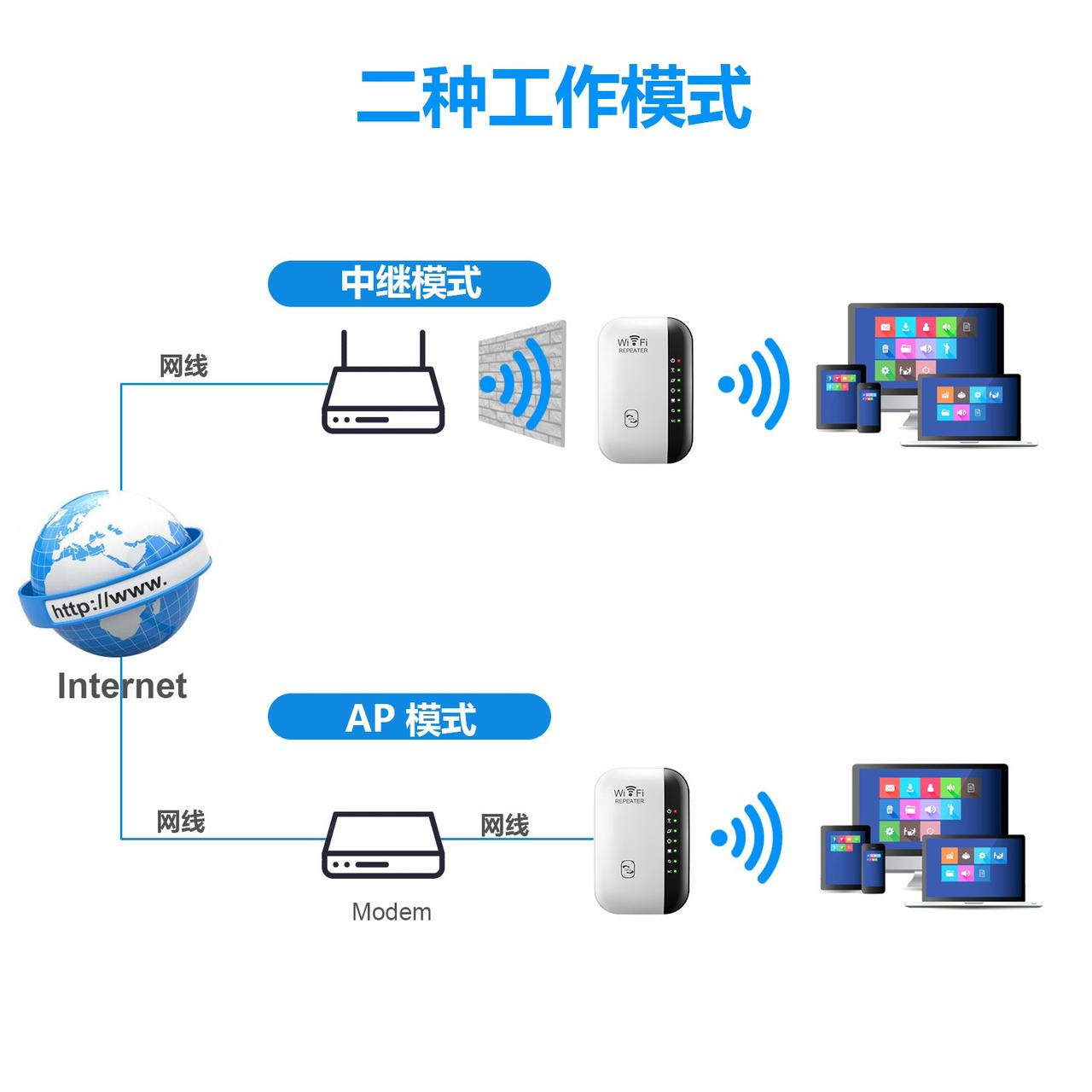
✅ Boosts Wi-Fi Signal: Extends your existing Wi-Fi coverage to hard-to-reach areas like corners, upstairs rooms, and backyards. ✅ Two Working Modes: Repeater Mode: Connects wirelessly to your router and boosts the signal. AP Mode: Converts a wired internet connection (via LAN cable) into a wireless Wi-Fi hotspot.
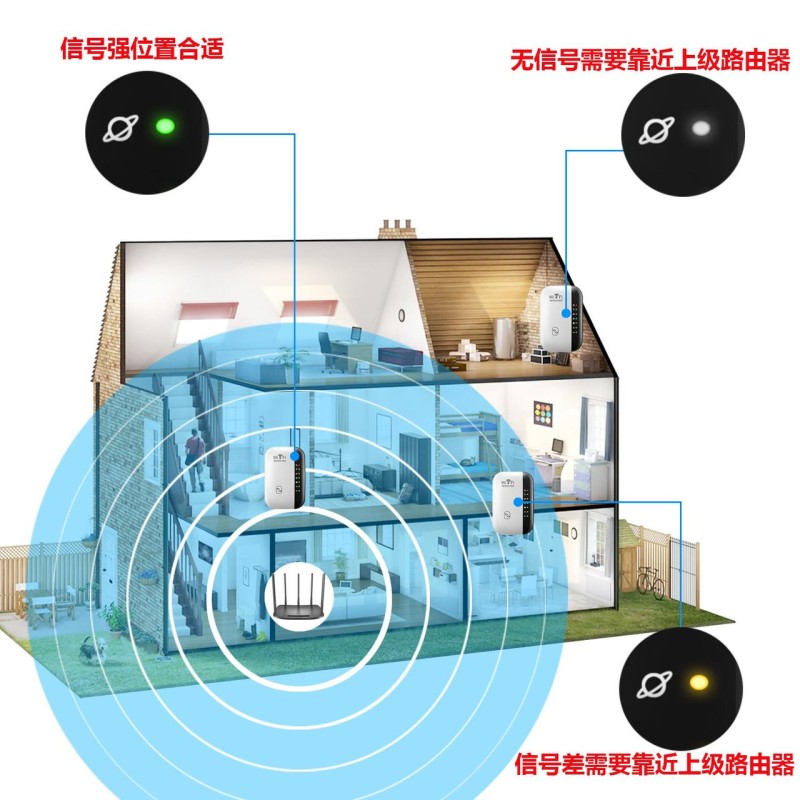
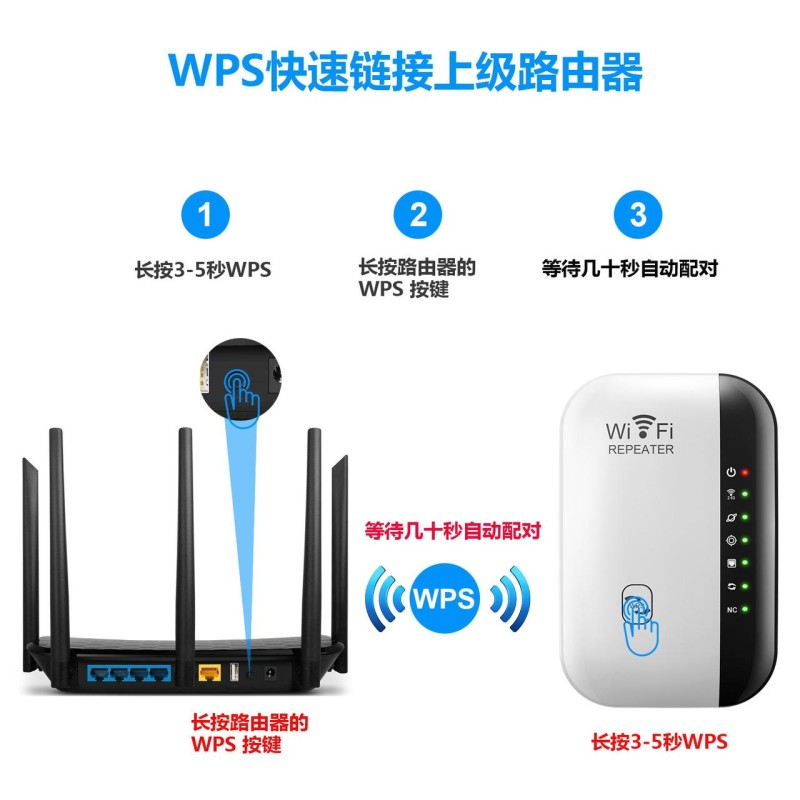
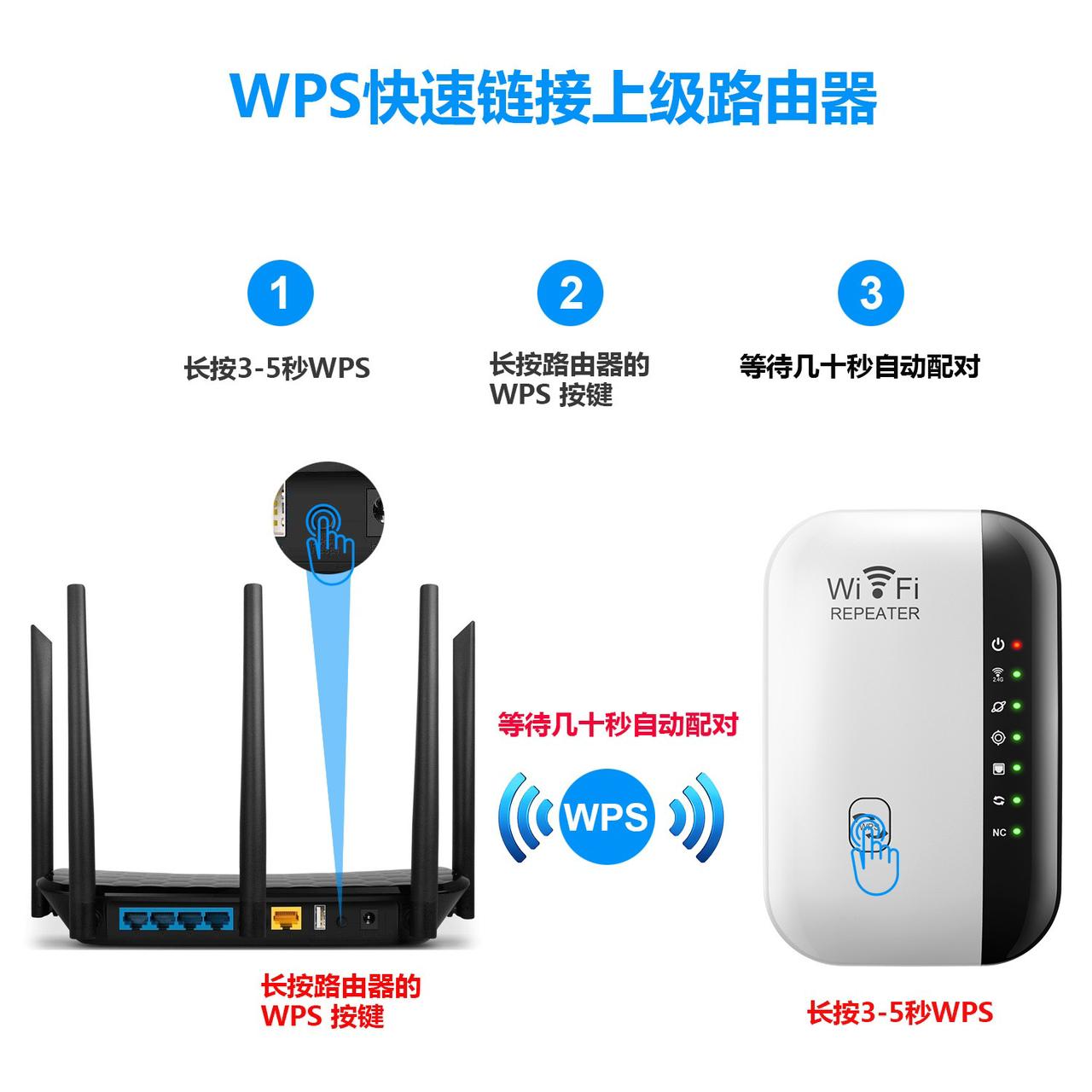
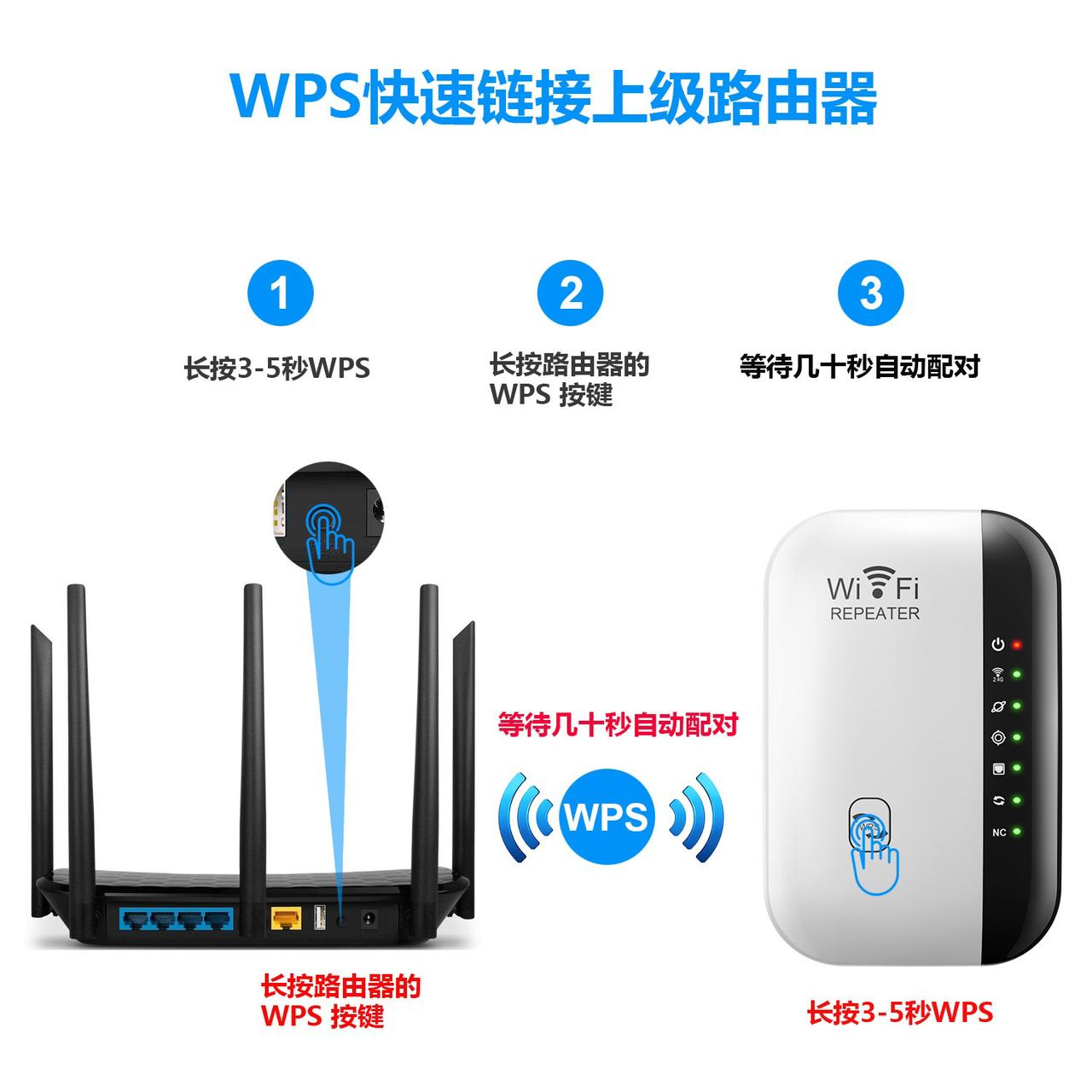
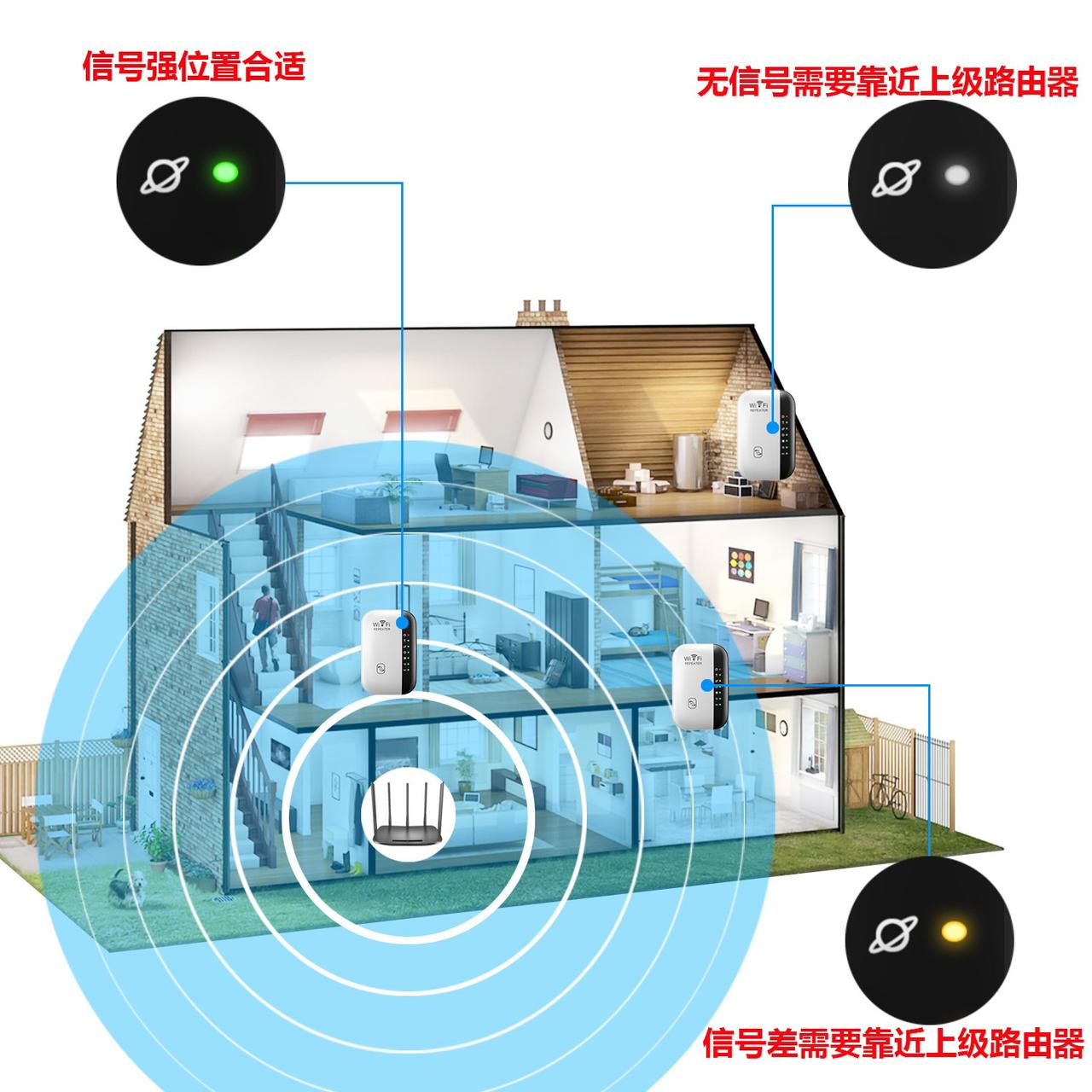
✅ Easy WPS Setup: Connect within seconds! Just press the WPS button on your router and then on the repeater for instant pairing (as shown in the guide). ✅ Smart Signal Indicator: LED lights help you find the best location for optimal coverage (Green = Good connection, Yellow/Red = Too far). ✅ Universal Compatibility: Works with almost all standard Wi-Fi routers and gateways. ✅ LAN Port Included: Allows you to connect wired devices like Smart TVs, gaming consoles, or PCs directly.
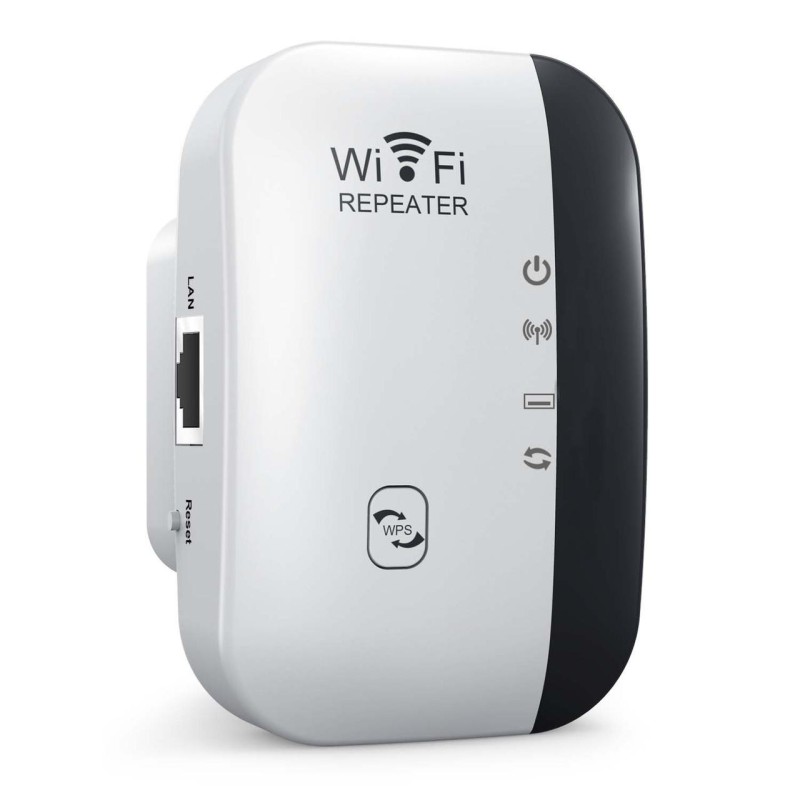
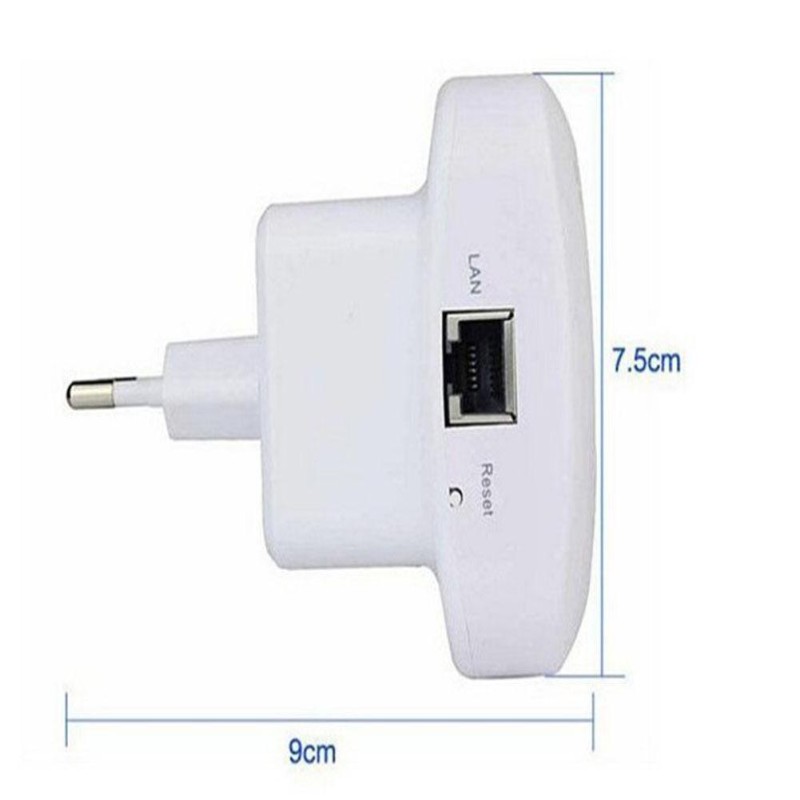
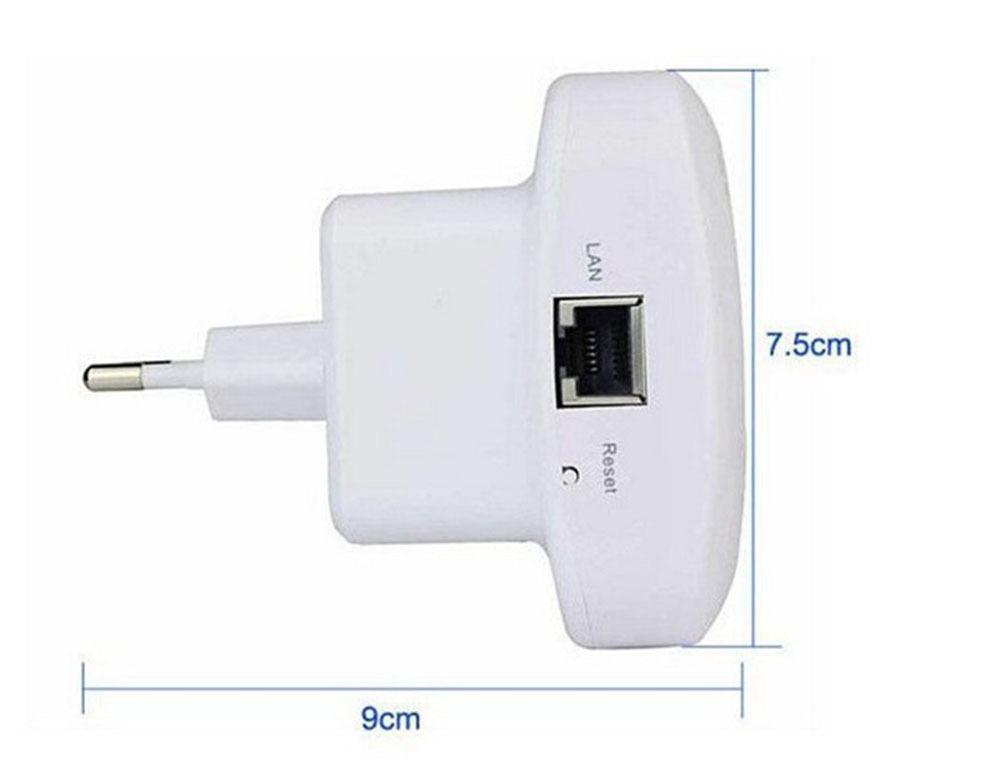
Type: Wi-Fi Repeater / Range Extender Color: White & Black Dimensions: 9cm x 7.5cm (Compact Wall-Plug Design) Connectivity: Wireless & Ethernet (LAN Port) Setup: WPS Button or Web Interface Voltage: 110V-240V
1 x Wi-Fi Repeater 1 x RJ-45 CABLE - 1 x User Manual
হাই-স্পিড ওয়াইফাই রিপিটার এবং রেঞ্জ এক্সটেন্ডার - ইন্টারনেট সিগন্যাল বুস্টার (WPS ও AP মোড সাপোর্টেড)
_1770186189.jpeg)
📶 ডেড জোন কিলার: বেডরুম, বারান্দা বা ওয়াশরুমে নেট পান না? এই ডিভাইসটি সেই সব জায়গায় শক্তিশালী ইন্টারনেট পৌঁছে দেবে। ⚡ সহজ সেটআপ (WPS): কোনো টেকনিক্যাল জ্ঞানের প্রয়োজন নেই। রাউটারের WPS বাটন এবং রিপিটারের WPS বাটন ৩-৫ সেকেন্ড চেপে ধরলেই অটোমেটিক কানেক্ট হয়ে যাবে। 🔄 দুই ধরনের মোড: রিপিটার মোড: তার ছাড়াই রাউটার থেকে সিগন্যাল নিয়ে রেঞ্জ বাড়াবে। AP মোড: তারের মাধ্যমে (LAN Cable) ইন্টারনেট সংযোগ দিয়ে নতুন ওয়াইফাই জোন তৈরি করতে পারবেন।
💡 সিগন্যাল ইন্ডিকেটর: এতে থাকা লাইট দেখে বুঝতে পারবেন কোথায় বসালে সবচেয়ে ভালো স্পিড পাবেন (ছবিতে নির্দেশিত)। 🔌 কমপ্যাক্ট ডিজাইন: আকারে ছোট (৯ সেমি x ৭.৫ সেমি), তাই দেখতে স্মার্ট লাগে এবং যেকোনো প্লাগে সহজেই বসানো যায়। 💻 LAN পোর্ট: স্মার্ট টিভি বা ডেক্সটপ পিসিতে সরাসরি তার দিয়ে ইন্টারনেট চালানোর সুবিধাও আছে।
প্রোডাক্ট: ওয়াইফাই রিপিটার রঙ: সাদা-কালো কম্বিনেশন সাইজ: ৯ x ৭.৫ সেন্টিমিটার পোর্ট: ১টি LAN পোর্ট বাটন: WPS এবং Reset বাটন কম্প্যাটিবিলিটি: সব ধরণের রাউটারের সাথে কাজ করে।
১টি ওয়াইফাই রিপিটার ১টি RJ-45 CABLE- ১টি ম্যানুয়াল
User Guide: How to Set Up the Wi-Fi Repeater
Method 1: WPS Quick Setup (Easiest Way)
Power On: Plug the Repeater into a socket next to your main router and wait for the lights to turn on. Activate Router WPS: Press the WPS button on your main router for 3-5 seconds. Activate Repeater WPS: Immediately press and hold the WPS button on the Repeater for 3-5 seconds. Pairing: The lights will flash. Wait for about 1 minute until the LED light turns solid (stops blinking). It is now connected! Relocate: Unplug the repeater and move it to a location halfway between your router and the dead zone (no need to configure again).
Method 2: Mobile/Web Browser Setup (Manual Way)
Connect: Plug in the device. Open Wi-Fi settings on your phone/laptop and connect to the new network named "WiFi-Repeater" (No password required initially). Login: Open a web browser (Chrome/Safari) and type 192.168.10.1 (or check the IP on the device label) in the address bar. Setup: Use admin as the username and password to log in. Select Mode: Click on "Repeater Mode". It will scan for available networks. Connect to Router: Select your home Wi-Fi name from the list and enter your main router’s password. Click "Apply" or "Save". Finish: The device will reboot. Connect to the new Extended Wi-Fi name (usually YourWiFiName_Ext).
ব্যবহার নির্দেশিকা: ওয়াইফাই রিপিটার সেটআপ করার নিয়ম
পদ্ধতি ১: WPS দিয়ে সেটআপ (সবচেয়ে সহজ উপায়)
পদ্ধতি ২: মোবাইল দিয়ে ম্যানুয়াল সেটআপ
💡 Pro Tips for Best Speed (টিপস):
Best Location: Place the repeater halfway between your router and the room with no signal. (রিপিটারটি রাউটার এবং সিগন্যাল পায় না এমন রুমের ঠিক মাঝখানে বসান।) Green Light: Ensure the LED indicator is Green. If it is flashing or red, move it closer to the main router. (লাইট যেন সবুজ থাকে। লাল বা হলুদ হলে রিপিটারটি রাউটারের আরেকটু কাছে আনুন।) _1770186652.jpeg)



(0) Relative Product